How to Remove Air Conditioner Noise from Audio
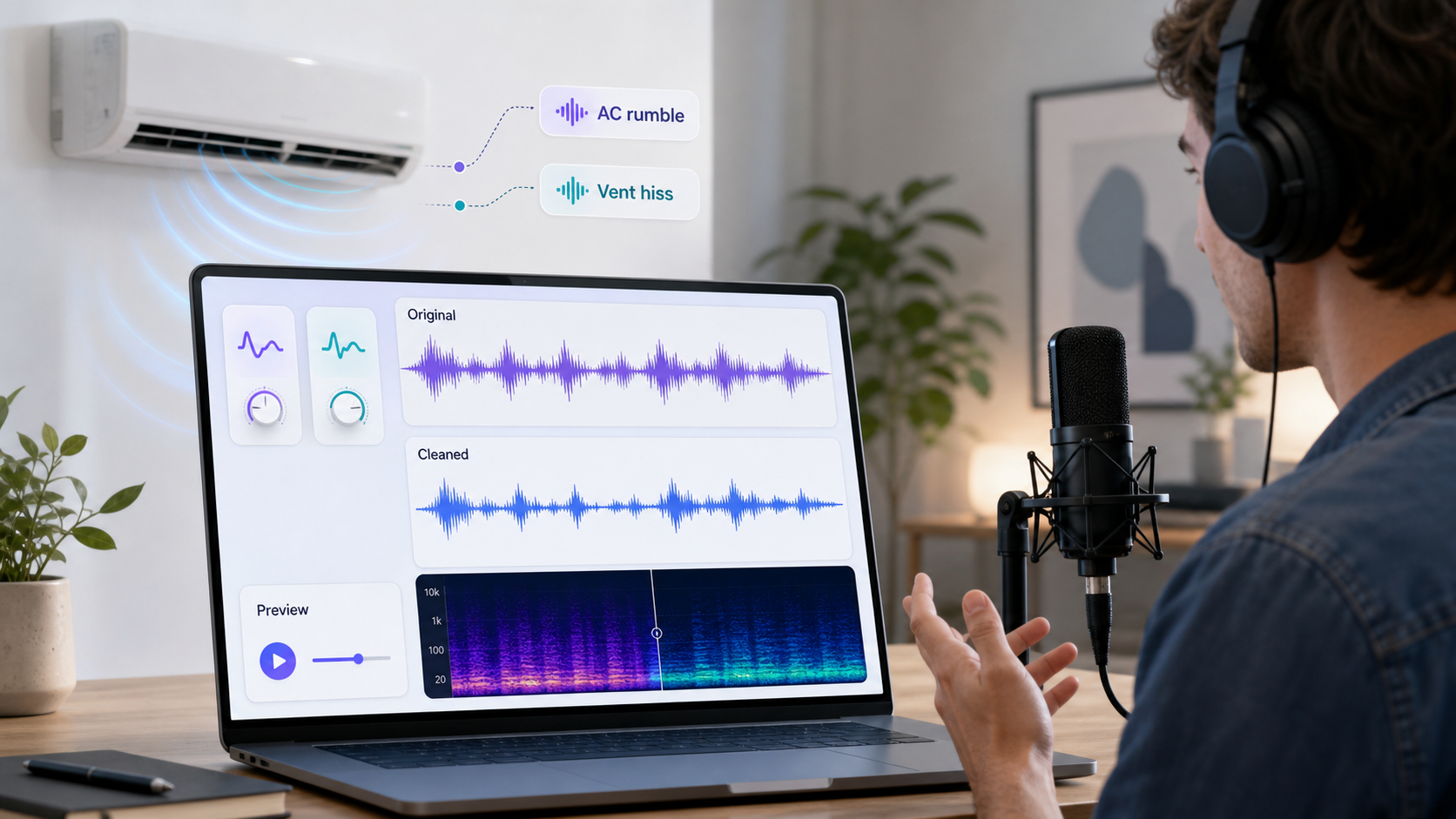
Air conditioner noise usually shows up as two problems: low rumble from the HVAC system and higher vent hiss from moving air. Both can make a voice recording feel less professional, even when the speaker is easy to understand.
If you need the fastest cleanup path, upload the file to CleanAudio's audio noise remover, preview the cleaned voice, and download if it sounds natural. If you want to understand the problem first, treat AC noise as a mix of frequency layers, not one generic background sound.
What AC Noise Actually Is
AC noise is rarely a single tone. It can include:
| Layer | What it sounds like | Why it matters |
|---|---|---|
| Low rumble | Deep vibration, distant machinery, room shake | Can make speech feel muddy or heavy |
| Vent hiss | Bright air noise, steady shhh layer | Can mask consonants and make voice sound less crisp |
| Fan whoosh | Broad movement of air | Can sit across a wide range of speech detail |
| Compressor hum | Tonal buzz or drone | May need targeted treatment |
| Room reflection | Voice bouncing around a hard room | Not AC noise, but often recorded with it |
This matters because a single heavy cleanup move can solve one layer while damaging another part of the voice. The best result usually comes from reducing the distraction enough, not trying to erase every trace of the room.
Manual Cleanup: If You Are Editing by Hand
If you use a manual audio editor, start with a short diagnosis.
First, find a section where the AC is audible and the speaker is also talking. That is the real test. A silent gap can help you hear the noise, but it does not reveal how the cleanup affects the voice.
Second, identify whether the problem is mainly low rumble or high hiss. For rumble, a gentle low-frequency cleanup move can help. For hiss or fan bed, a light noise reduction pass is more relevant. Audacity's manual notes that noise reduction is well suited to constant background sounds such as hum, buzz, hiss, and fan noise [1].
Third, use the lowest strength that makes the noise less distracting. Audacity warns that stronger settings can damage the audio that remains [1]. That warning applies broadly: the more aggressively you remove AC noise, the more likely the voice is to lose air, warmth, or natural room tone.
Fourth, preview the residue or the before/after if your tool supports it. If you hear recognizable voice in what is being removed, the setting is too strong.
CleanAudio Workflow for AC Noise
CleanAudio is the lower-friction path when you do not want to choose filters manually.
- Upload the audio recording.
- Let the hybrid model analyze the file.
- Preview the cleaned voice.
- Compare the worst AC section before downloading.
- Keep the result only if the voice still sounds natural.
The hybrid model framing matters because AC noise often arrives as a combination of rumble, hiss, and room tone. A static setting is not always ideal across the whole file. CleanAudio's workflow keeps the user focused on review rather than filter routing.
When Cleanup Works Best
AC cleanup works best when the speaker is close to the microphone and the AC is behind the voice. A podcast recorded near the mic with a steady AC bed is usually a good candidate. A course recording with mild vent hiss can also clean up well.
Cleanup is less reliable when the speaker is far away, the AC is louder than the voice, or the room is very reflective. In that case, the recording problem is not only the AC. The microphone also captured too much room.
| Recording situation | Cleanup outlook |
|---|---|
| Close mic, steady AC bed | Strong |
| Laptop mic, mild vent hiss | Mixed but worth trying |
| Far mic in hard room | Limited |
| AC directly blowing into mic | Difficult |
| Compressor hum plus echo | Needs careful review |
Prevention for Future Recordings
For short recordings, turn off the AC while recording if the room can stay comfortable. For longer sessions, do not sacrifice safety or comfort; instead reduce the capture problem.
Move the mic closer to the speaker. Aim the mic away from the vent. Put distance between the microphone and the air path. Add soft material in the room to reduce reflections. Record a short test before the real take.
Shure's recording guidance treats microphone placement as a core part of controlling what the recording captures [3]. DPA's speech-intelligibility guidance also points to the practical value of stronger direct voice capture [4]. Better voice capture gives cleanup more to preserve.
AC Noise in Video
If the noisy file is a video, do not detach and reattach audio unless your workflow requires it. Use remove background noise from video so the cleaned audio remains part of the video workflow.
For screen recordings, tutorials, webinars, and online lessons, AC noise is often joined by keyboard noise, room echo, and computer fan noise. In those cases, use a preview-first workflow and judge the voice across several sections.
FAQ
Can AI remove air conditioner noise from audio?
AI can often reduce steady AC rumble, vent hiss, and fan noise when the voice remains clear. It cannot reliably recover words hidden under loud HVAC noise.
Should I remove AC noise manually or with AI?
Use manual editing when you need detailed control. Use AI cleanup when you want a faster preview-first workflow and the main goal is a clearer voice.
Why does AC cleanup make my voice dull?
Vent hiss overlaps with high-frequency speech detail. If cleanup is too strong, it may remove crisp consonants along with the noise.
Sources and Further Reading
- Audacity Manual - Noise Reduction: https://manual.audacityteam.org/man/noise_reduction.html
- Audacity Support - Noise reduction and removal: https://support.audacityteam.org/repairing-audio/noise-reduction-removal
- Shure - Microphone Techniques for Recording: https://www.shure.com/damfiles/default/global/documents/publications/en/performance-production/microphone_techniques_for_recording_english.pdf-bb0469316afdb6118691d2f3f5e3ff01.pdf
- DPA Microphones - Speech intelligibility and microphone placement: https://www.dpamicrophones.com/mic-university/audio-production/how-to-improve-speech-intelligibility-when-amplifying-the-voice/
- OBS Project - Noise Suppression Filter: https://obsproject.com/kb/noise-suppression-filter