What Background Noise Can AI Remove from Audio and Video?
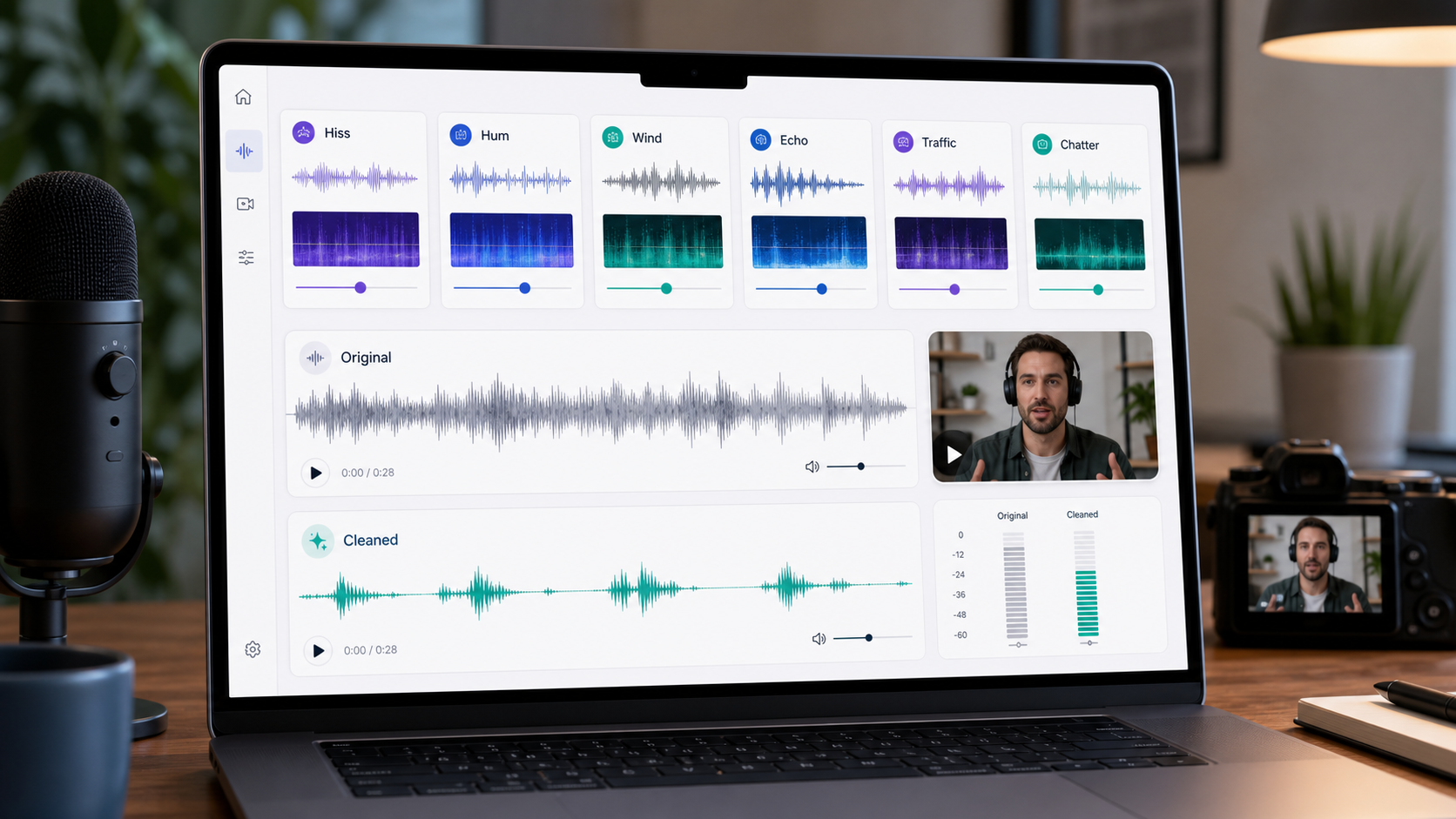
AI can reduce many distracting background noises in audio and video, especially when the speaker is still clearly present. It is strongest on steady or semi-steady layers such as hiss, hum, fans, air conditioning, room tone, and low traffic bed. It can also help with wind, echo, keyboard taps, and crowd noise, but those are harder because they change over time or overlap with speech.
The honest answer is not "AI removes every noise." The better answer is: AI works best when there is enough clean voice information left to preserve. If the microphone clipped, the speaker was too far away, or a loud sound completely covered a word, no cleanup tool can reliably recreate what was never captured.
For a fast practical route, use CleanAudio's AI background noise remover when the file is already recorded and you want a cleaner preview without building a manual effect chain. Use the deeper breakdown below to set expectations before you upload.
The Short Answer: Usually, Sometimes, Rarely
Different noises behave differently. A steady fan is not the same problem as a gust of wind hitting a phone microphone, and neither is the same as a room echo attached to every syllable.
| Noise type | AI cleanup outlook | Why |
|---|---|---|
| Hiss, fan noise, AC, refrigerator hum | Usually strong | The noise is steady enough for a model or filter to separate it from speech. |
| Electrical hum, low rumble, computer noise | Usually good if speech is clear | These often occupy predictable frequency areas, though voice fullness must be protected. |
| Room tone and mild background bed | Usually good | The voice remains the dominant signal and the unwanted layer is secondary. |
| Echo and reverb | Sometimes good | The problem is reflected voice, not just separate noise, so aggressive cleanup can thin the voice. |
| Wind noise | Sometimes good | Light wind can be reduced; mic buffeting, clipping, and words buried under wind are harder. |
| Traffic, cafe noise, crowd chatter | Mixed | These sounds change constantly and may share the same frequencies as speech. |
| Keyboard clicks, taps, mouth sounds | Mixed | Short events can be reduced, but clicks under speech may need local repair or editing. |
| Clipping, missing words, overlapping speakers | Rarely fixable | The original signal is damaged or hidden, not merely noisy. |
This is why a good cleanup workflow should not treat every file as the same file. The model has to look at the recording, identify the likely noise pattern, and apply a treatment that preserves the voice rather than chasing mathematical silence.
The Technical Core: Separation, Stability, and Voice Preservation
Most cleanup decisions come down to three questions.
First, can the system separate the unwanted sound from the wanted voice? Hiss and hum are easier because they often behave like a background layer. A passing truck is harder because it appears, moves through the spectrum, and disappears. A second person talking nearby is even harder because it resembles the target voice.
Second, is the noise stable enough to learn? Traditional noise reduction tools often work best when you can sample a clean stretch of background noise. Audacity's own documentation frames this style of noise reduction around constant sounds such as hum, whine, buzz, and hiss, and it warns that irregular sounds such as traffic or audience noise are not the right fit for the same approach [1].
Third, what has to be protected? The answer is almost always the voice. A file that sounds slightly noisy but natural is often more useful than a file that is quiet but hollow, metallic, or robotic. The goal is clearer speech, not an empty waveform.
What Usually Cleans Up Well
Steady Hiss
Hiss is the thin high-frequency layer you might hear from a preamp, camera input, old recording, or noisy room. It is one of the more cleanup-friendly problems because it tends to be continuous and separable. If the speaker is close to the microphone, AI can often reduce hiss while keeping consonants intact.
The risk is over-cleaning. Hiss shares space with breath, sibilance, and crisp speech detail. Push too hard and the voice may lose air or start to sound smeared.
Hum and Low Rumble
Hum, electrical buzz, HVAC vibration, desk vibration, and low-frequency rumble are often easier to diagnose because they sit in a limited area of the spectrum. A careful manual workflow might use filtering, hum removal, or a low-frequency cut. An AI workflow can route the file toward cleanup that reduces the distraction without forcing the user to choose each control by hand.
The limit is voice body. If the cleanup removes too much low-mid energy, the voice can become thin. Always preview a few full phrases, not just one quiet pause.
Fans, Air Conditioning, and Room Tone
Fan and AC noise are common in podcasts, Zoom recordings, tutorials, and talking-head videos. They are usually good AI cleanup candidates because they sit behind speech as a persistent layer. This is the classic case where the speaker is understandable, but the file feels less professional because the background never stops.
If you are cleaning audio-only material, use remove background noise from audio. If the same problem is inside a video file, use remove background noise from video so the audio stays attached to the visual workflow.
What Can Work, But Needs More Care
Wind Noise
Wind is harder than hiss because it is not one stable sound. It can create low rumble, sharp bursts, capsule buffeting, and intermittent distortion. Light wind behind an outdoor voice can often be reduced. Wind that overloads the microphone or covers entire words is much less reliable.
Use remove wind noise from video when the footage is already recorded and the voice still breaks through. For future shoots, prevention matters: a windshield, closer mic placement, and turning away from direct wind often do more than any repair step.
Echo and Reverb
Echo is not a separate background layer in the same way a fan is. It is your voice bouncing around the room and arriving late at the microphone. Reverb is a dense tail of reflections that makes the voice sound distant or hollow.
AI can reduce room reflections when the direct voice is still clear. It cannot turn a distant, empty-room recording into a close studio vocal without tradeoffs. Use remove echo from audio when the main issue is hollow room sound rather than fan noise or hiss.
Keyboard, Mouse, and Handling Noise
Keyboard taps, mouse clicks, desk bumps, and handling noise are short events. They can be reduced when they happen between words. When they land directly under speech, the model has to decide how much of the combined sound belongs to the voice and how much belongs to the noise. That is a harder problem.
For one or two obvious hits, manual local repair can still be better. For repeated small distractions across a long file, AI cleanup may be faster because the user does not have to hunt every click.
What AI Should Not Promise
Some files are not denoise problems. They are recording problems.
| Problem | Why cleanup is limited | Better move |
|---|---|---|
| Clipped speech | The waveform is damaged at capture. | Use a lower input level next time; retake if possible. |
| Words fully covered by noise | The missing speech detail is not available. | Retake, add captions, or replace the line. |
| Speaker too far from mic | The voice-to-noise ratio is weak. | Use a closer mic or separate microphone. |
| Multiple people talking over each other | The unwanted sound resembles speech. | Edit manually or choose a cleaner take. |
| Severe room echo | Reflected voice overlaps the direct voice. | Treat the room, move closer, or retake. |
This is not a weakness of one tool. It is the physics of the recording. Cleanup tools can reduce distraction; they cannot always reconstruct a clean performance from a file that never captured one.
How CleanAudio Routes the Practical Cleanup Step
Manual editing asks the user to diagnose the file first: is this hiss, hum, echo, wind, clicks, or a mix? That can be useful for engineers, but it is friction for creators who just want the file to sound clearer.
CleanAudio's productized workflow is built around upload, analysis, preview, and download. The hybrid model approach matters because real recordings are rarely one clean noise category. A phone video may contain wind in one section, traffic in another, and room tone during narration. The system can analyze the recording in segments, route different noise patterns toward suitable cleanup behavior, and let the user preview the result before downloading.
That does not remove the need to listen. Preview is still the quality gate. If the voice sounds thinner, more robotic, or less natural, the better answer may be lighter cleanup or a retake.
A Practical Decision Framework
Use this quick decision path before spending an hour testing tools.
- If the voice is clear and the noise is steady, AI cleanup is a strong first pass.
- If the noise changes but the voice stays dominant, try AI cleanup and preview carefully.
- If the problem is echo, use a dedicated echo workflow rather than generic denoise.
- If the problem is wind, use a wind workflow and accept that clipped gusts may not fully recover.
- If words are missing, clipped, or covered, plan for a retake, voiceover, or edit.
For most creator files, the practical first move is simple: upload the file, preview the cleaned version, and stop if the voice sounds natural. Do not chase silence if the price is a damaged voice.
FAQ
Can AI remove background noise from both audio and video?
Yes. AI can clean audio files and the audio track inside video files. The important difference is workflow: for video, use a tool that keeps the cleaned audio aligned with the footage.
Can AI remove wind noise from video?
It can reduce light or moderate wind when the voice is still present. Heavy buffeting, clipping, or words buried under wind are much harder.
Can AI remove echo from audio?
AI can reduce room echo and reverb when the direct voice is still clear. Severe distant-room recordings may still sound processed because echo overlaps with the voice itself.
Is AI better than manual noise reduction?
It depends on the file. Manual tools are useful for precise control and steady sampled noise. AI is often faster for mixed noise, creator workflows, and files where the user wants a preview-first cleanup path.
What should I do if AI cleanup makes the voice sound robotic?
Use a lighter pass, return to the original, or retake if possible. Robotic sound usually means the cleanup is removing parts of the voice along with the noise.
References Used for Fact Check
[1] Audacity Manual: Noise Reduction
URL: https://manual.audacityteam.org/man/noise_reduction.html
[2] Audacity Support: Noise reduction and removal
URL: https://support.audacityteam.org/repairing-audio/noise-reduction-removal
[3] Shure: Microphone Techniques for Recording
URL: https://www.shure.com/damfiles/default/global/documents/publications/en/performance-production/microphone_techniques_for_recording_english.pdf-bb0469316afdb6118691d2f3f5e3ff01.pdf
[4] DPA Microphones: Speech intelligibility and microphone placement
URL: https://www.dpamicrophones.com/mic-university/audio-production/how-to-improve-speech-intelligibility-when-amplifying-the-voice/