Krisp vs CleanAudio: Live Noise Cancellation or Recorded Audio Cleanup?
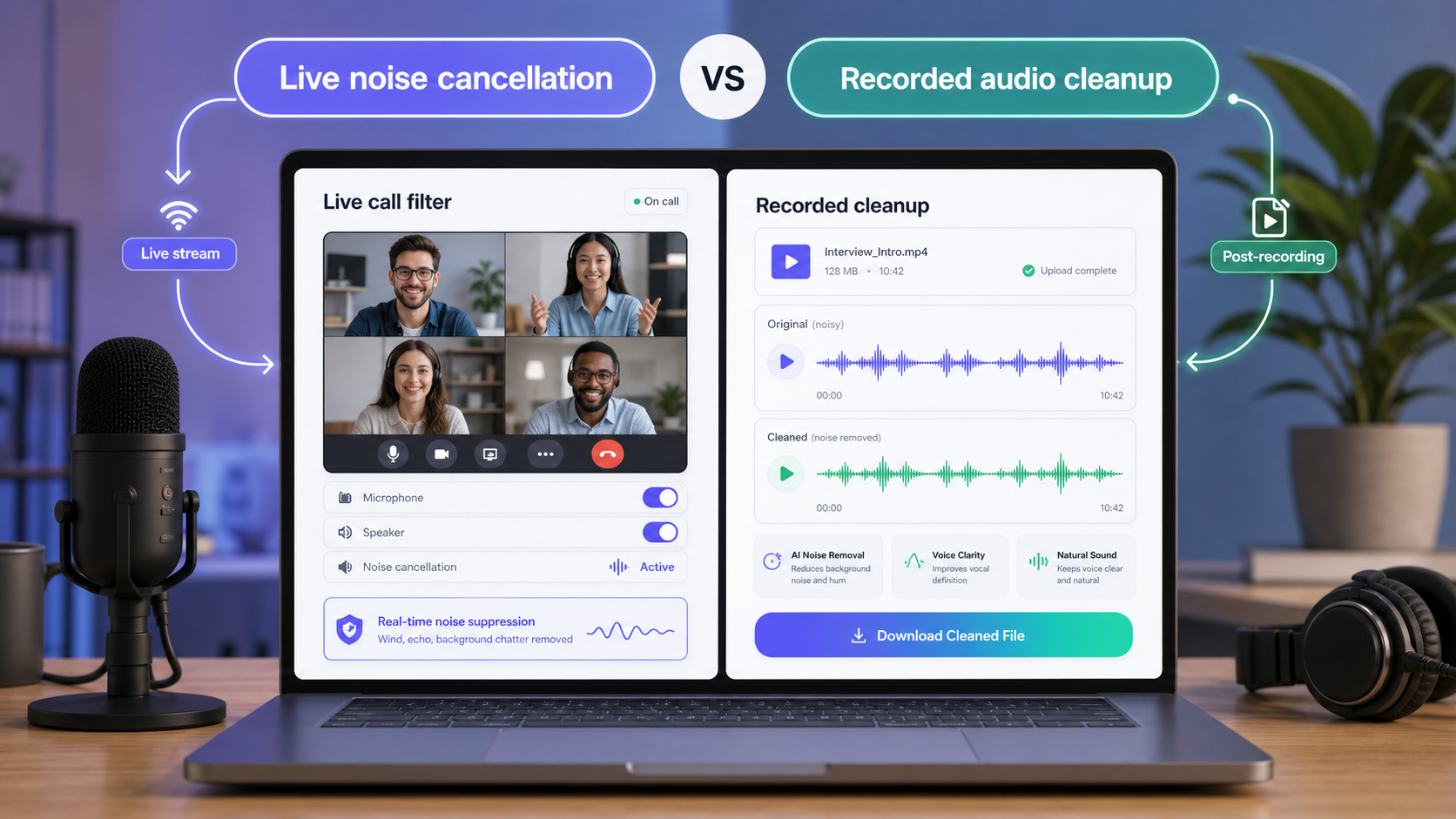
Krisp and CleanAudio solve different timing problems. Krisp is built for real-time noise cancellation during calls and meetings. CleanAudio is built for cleaning recorded audio or video after the file exists. If other people need to hear you clearly right now, start with Krisp. If you already have a noisy recording, start with CleanAudio.
This is not a small distinction. Real-time tools and recorded-file tools operate under different constraints. A live call filter has to make fast decisions while someone is speaking. A recorded-file cleanup tool can analyze the file, process it, and let the user preview the result before download.
Use CleanAudio's audio noise remover when the recording already exists. Use CleanAudio's video noise remover when the noisy file is video.
The Short Version
| Situation | Better first tool | Why |
|---|---|---|
| Live Zoom, Meet, or Teams call | Krisp | Noise cancellation must happen in real time |
| Already recorded meeting | CleanAudio | The whole file can be analyzed and previewed |
| Podcast guest track | CleanAudio | Recorded cleanup can focus on the actual file |
| Noisy livestream mic | Krisp or OBS filters | The audience hears the mic live |
| Video interview recorded yesterday | CleanAudio | The file exists; post cleanup is the job |
| Speaker and background overlap heavily | Neither can promise perfection | Retake or manual edit may be required |
Krisp's website describes AI-powered noise cancellation and meeting assistant features for calls and meetings [1]. Krisp's Help Center frames the app around microphone and speaker paths in communication apps [2]. CleanAudio's use case is different: upload a file, preview cleanup, and keep the result only if the recording improves.
Real-Time Path: What Krisp Has to Optimize For
A real-time call tool has to work while the conversation is happening.
That creates a technical constraint: latency. The tool cannot wait for the full meeting recording, inspect every noisy section, and then decide how to treat the file. It receives a stream from the microphone, suppresses unwanted sound quickly, and passes the processed signal into the call.
That is why Krisp makes sense for:
- Live meetings.
- Sales calls.
- Support calls.
- Remote interviews happening in real time.
- Noisy rooms where other people hear your microphone immediately.
The goal is not a mastered recording. The goal is a better live communication signal.
Real-time cleanup has clear advantages:
- It helps the listener during the call.
- It does not require a file export.
- It can reduce background distraction before anyone hears it.
- It fits the microphone/speaker workflow of communication apps.
It also has limits:
- The user may not have a full before/after review.
- The tool has to make fast decisions.
- The output is heard immediately, so artifacts can matter.
- It is not the same as cleaning a published recording after the fact.
Recorded-File Path: What CleanAudio Has to Optimize For
CleanAudio starts after capture. That changes the problem.
Instead of filtering a live stream, CleanAudio can work with a complete audio or video file. The system can analyze the recording, apply cleanup, and let the user preview the result before download. That makes the quality-control loop different.
The recorded-file workflow is:
- Upload the audio or video.
- Let the model analyze the recording.
- Clean distracting background noise.
- Preview the cleaned result.
- Download only if the voice is clearer and still natural.
This workflow is useful when the recording is meant to be published, shared, archived, or reused. A podcast episode, webinar replay, interview, course video, or screen recording does not need live noise cancellation anymore. It needs a better final file.
Technical Contrast: Stream Filter vs File Cleanup
| Dimension | Real-time cancellation | Recorded-file cleanup |
|---|---|---|
| Input | Live microphone/speaker stream | Complete audio or video file |
| Main constraint | Low latency | Cleanup quality and preview |
| Review | Limited during the call | Before/after preview |
| Best result | Clearer live communication | Cleaner publishable recording |
| Failure mode | Call still has noise or artifacts | User rejects the cleaned version |
| Best tool example | Krisp | CleanAudio |
The two workflows can even be used together. Krisp can reduce noise during the meeting. CleanAudio can clean the recording afterward if the shared file still contains room tone, echo, keyboard noise, or inconsistent microphones.
Where CleanAudio's Hybrid Model Helps
Recorded files often contain mixed noise. A meeting may include laptop fan noise, room echo, keyboard taps, and different speakers. A video may move from an indoor room to a street. A podcast can include one guest with a headset and another in a hard-walled room.
This is where CleanAudio's hybrid model advantage belongs in the argument. Because the whole file exists, the system can analyze the recording as a file, not just as a live stream. It can route cleanup decisions across different sections and then give the user a preview.
The practical value:
- Less manual diagnosis.
- Less need to build a separate filter chain.
- Better fit for files with several noise conditions.
- A clear keep/reject decision before download.
That does not mean every file can be fixed. If speech is clipped, missing, or fully covered by another speaker, cleanup has hard limits. But when the voice is present and the background is distracting, file-based cleanup gives the user a better review loop.
Use Krisp When the Call Is Still Happening
Choose Krisp when the problem is live.
Good Krisp scenarios:
- You work from a noisy room.
- You join frequent calls.
- Other people hear your background noise live.
- You want microphone and speaker noise cancellation in communication apps.
- You need the cleanup to happen before a recording exists.
If the meeting is still happening, post-production cleanup is too late for the people listening.
Use CleanAudio When the File Already Exists
Choose CleanAudio when the file already exists.
Good CleanAudio scenarios:
- A recorded webinar has room noise.
- A podcast guest sent a noisy file.
- A video interview has traffic or fan noise.
- A meeting recording needs cleanup before sharing.
- A screen recording has keyboard taps.
For general audio, use remove background noise from audio. For video, use remove background noise from video. For conference recordings, see clean Zoom, Teams, and Google Meet recording audio.
Limits Both Tools Share
Neither tool should be expected to perfectly fix missing speech.
Be careful with:
- Clipped microphones.
- Words fully covered by another speaker.
- Loud music under speech.
- Extreme wind hitting the microphone.
- Recordings where the main voice is too far away.
Noise tools work best when there is a clear voice signal to preserve. If the file does not contain enough voice detail, cleanup becomes damage control.
Common Questions
Is Krisp the same as CleanAudio?
No. Krisp is primarily a real-time noise cancellation tool for calls and meetings. CleanAudio is a recorded audio and video cleanup workflow.
Can I use both?
Yes. You can use Krisp during a live call and CleanAudio later if the recording still needs cleanup before publishing or sharing.
Which is better for podcast audio?
For already recorded podcast audio, CleanAudio is usually the better starting point because the file can be uploaded, analyzed, previewed, and kept only if the cleaned version improves the voice.
Which is better for live meetings?
Krisp is the better fit for live meetings because the noise reduction needs to happen before other people hear the microphone.
Sources and Further Reading
[1] Krisp: AI Noise Cancellation App https://krisp.ai/
[2] Krisp Help Center: How does Krisp work? https://help.krisp.ai/hc/en-us/articles/360012002020-How-does-Krisp-work
[3] Krisp Help Center: Set up Krisp with communication apps https://help.krisp.ai/hc/en-us/sections/360003264299-Setup-Krisp-with-communication-apps