How to Clean Up Voice Memo Audio
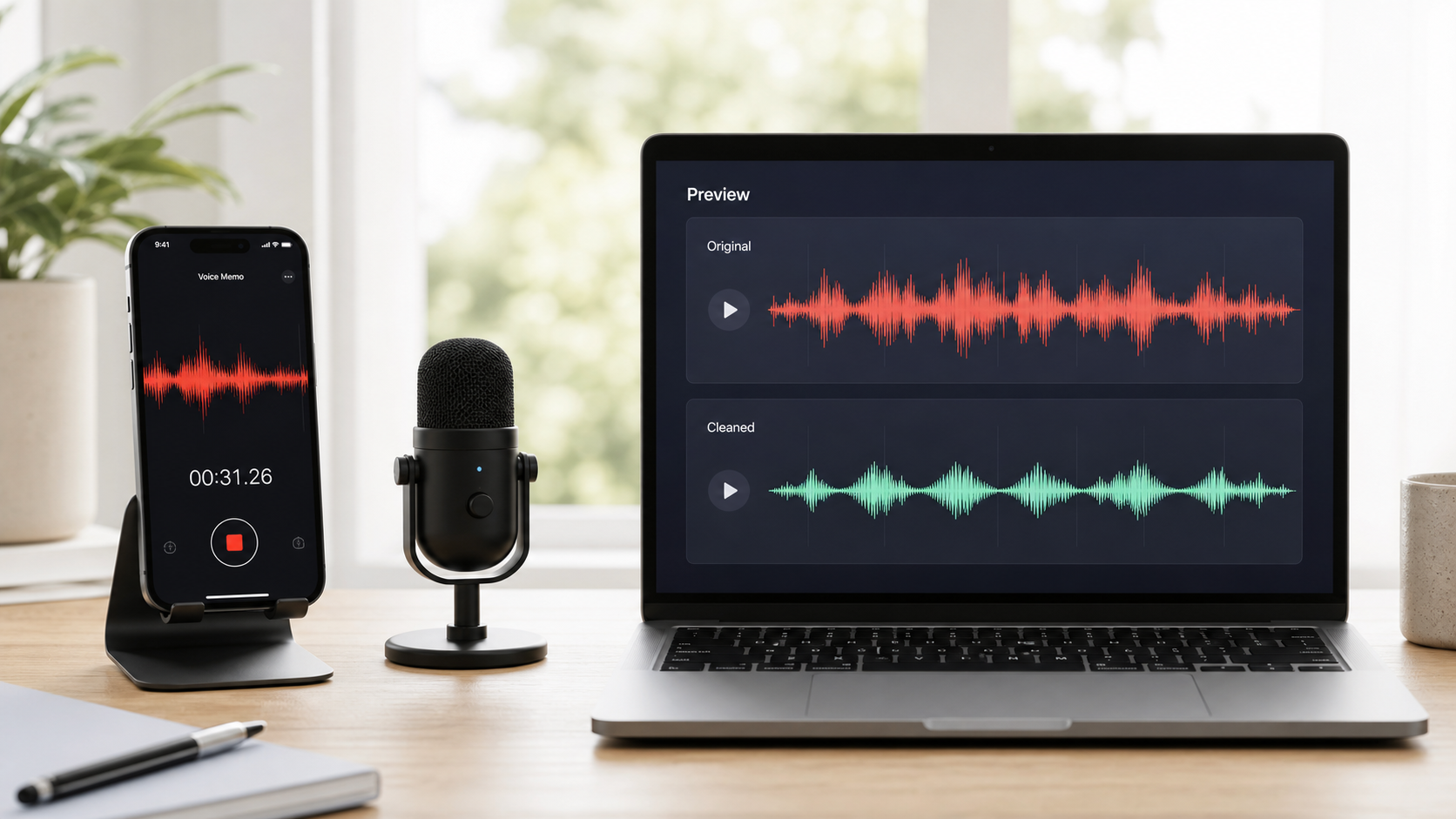
To clean voice memo audio, start by deciding what is actually wrong with the recording. A voice memo with light room noise, phone handling, desk vibration, or steady air conditioner sound can often be improved. A voice memo where the speaker is too far away, clipped, or covered by other voices has a harder ceiling.
The fastest useful workflow is simple: keep the original file, trim obvious dead space, reduce distracting background noise, preview the voice, and only keep the cleaned version if speech is easier to understand. If you want an online path, use CleanAudio's audio noise remover when the memo is understandable but distracted by noise. If you want broader setup guidance, see how to remove background noise from a microphone and how to clean voice recordings online.
What a Voice Memo Usually Captures
Phone voice memos are convenient because the microphone is always nearby. They are also unforgiving because they capture whatever was happening around the phone: table taps, clothing movement, HVAC, echo from a hard room, and the tonal limits of a small microphone.
That does not mean the recording is ruined. It means the cleanup plan should be realistic. A phone memo is often strongest when the speaker is close, the voice is clear, and the noise sits behind the speech rather than inside it.
| What you hear | Likely cause | Best first move |
|---|---|---|
| Low steady room bed | Room tone, HVAC, distant fan | Light background-noise cleanup |
| Sharp taps | Phone handling, desk bumps, finger taps | Trim, cut, or locally repair the hit |
| Hollow voice | Reflective room or distance from phone | Echo-aware cleanup, then decide if retake is better |
| Harsh broken peaks | Clipping from loud speech or phone movement | Lower expectations; clipped detail may be unrecoverable |
| Other voices under speech | Overlapping conversation | Reduce distraction, but do not expect perfect separation |
This diagnosis step keeps you from applying one heavy effect to every problem. A tap is not the same as hiss. Echo is not the same as room tone. Clipping is not background noise at all.
A Cleanup Workflow You Can Actually Follow
Make a copy of the voice memo before cleaning it. If the memo is important, do not overwrite the original. Apple Voice Memos is built for quick capture and basic recording management, but a cleanup workflow usually needs a more deliberate review step after recording [1].
Use this order:
- Trim the beginning and end so obvious silence, false starts, and phone handling are gone.
- Listen once without any cleanup and mark the worst 10 seconds.
- Run a moderate cleanup pass, not the strongest available setting.
- Preview the worst section first, then the opening sentence.
- If the voice becomes thinner, watery, or metallic, reduce the strength or keep the original.
- Export only after comparing the cleaned file against the raw memo.
If you use a manual editor-first workflow, be specific about the move. Use a noise-profile method only when there is a clean sample of the steady background sound. Audacity's Noise Reduction workflow, for example, is built around getting a noise profile first, then applying reduction to the selected audio [2]. That can work for a consistent fan or room bed. It is weaker for changing street noise, taps, or echo wrapped around the voice.
Automated Cleanup vs Manual Editing
Both paths can be useful. The better choice depends on the recording and your tolerance for manual review.
| Workflow | Best fit | What you still need to check |
|---|---|---|
| Automated cleanup-first | Phone memos with mixed room noise, light hum, hiss, or changing background | Whether the voice stays natural after cleanup |
| Manual editor-first | A steady noise bed with a clean noise-only sample | Whether the noise profile learned speech by accident |
| Retake-first | Distant, clipped, or fully masked speech | Whether a second recording is faster than repair |
CleanAudio fits the automated cleanup-first path. Upload the memo, let the hybrid model analyze the recording, preview the cleaned voice, and download only if the result is clearer and still natural. That is useful when the file has more than one problem and you do not want to build an effects chain by hand.
Manual editing is still valuable when you know the exact problem. If the memo has one loud bump, cut it. If it has a long dead section, trim it. If it has a steady noise bed and a clean sample, a profile-based reducer may be enough. The point is not to avoid manual tools. The point is to match the tool to the actual defect.
When the Recording Is Too Far Away
Distance is the quiet killer in voice memos. When the phone sits across the room, the voice is weaker and the room becomes part of the recording. DPA's speech intelligibility guidance emphasizes how much microphone placement affects clarity before any processing happens [3].
If the voice is distant but understandable, cleanup can reduce the background layer and make the memo easier to review. If the voice is distant, echoey, and competing with other people, the cleaned file may still sound like a distant recording. That is not failure. It is the physical limit of the capture.
For future memos:
- Put the phone closer to the speaker.
- Place it on something stable instead of holding it loosely.
- Avoid tabletops that transmit taps and vibration.
- Point the phone toward the person speaking.
- Record a short test, then listen before the real conversation starts.
These steps sound basic because they are. They often matter more than the cleanup tool.
Common Mistakes
| Mistake | Why it hurts | Better move |
|---|---|---|
| Pushing cleanup until the background is silent | Heavy processing can damage speech texture | Aim for easier listening, not mathematical silence |
| Cleaning before trimming obvious junk | The tool spends attention on sounds you do not need | Trim false starts and long dead space first |
| Treating echo as ordinary noise | Echo overlaps the voice itself | Use echo-aware cleanup or retake in a softer room |
| Exporting without comparison | You may accept a cleaner but less natural voice | A/B the raw and cleaned memo |
| Keeping a bad memo because cleanup helped a little | Some files are still hard to understand | Retake when the content matters |
FAQ
Can I clean voice memo audio online?
Yes, if the voice is still present and the problem is background noise, light hum, hiss, or room tone. Upload the file to an audio cleanup workflow, preview the result, and keep the cleaned version only if the voice becomes easier to understand.
Can cleanup fix a voice memo recorded across the room?
It can reduce distraction, but it cannot make a distant microphone behave like a close microphone. If the memo is important and the voice sounds far away, a retake may be better.
Should I use manual editing or AI cleanup first?
Use manual editing first for obvious trims, single bumps, and very specific fixes. Use AI cleanup first when the memo has mixed background noise and you want a fast preview before spending time on manual repair.
Will cleaning a voice memo remove every background sound?
Usually no. The goal is clearer speech. If background sound overlaps the voice heavily, some trace may remain.