How to Clean GoPro Audio and Reduce Wind Noise
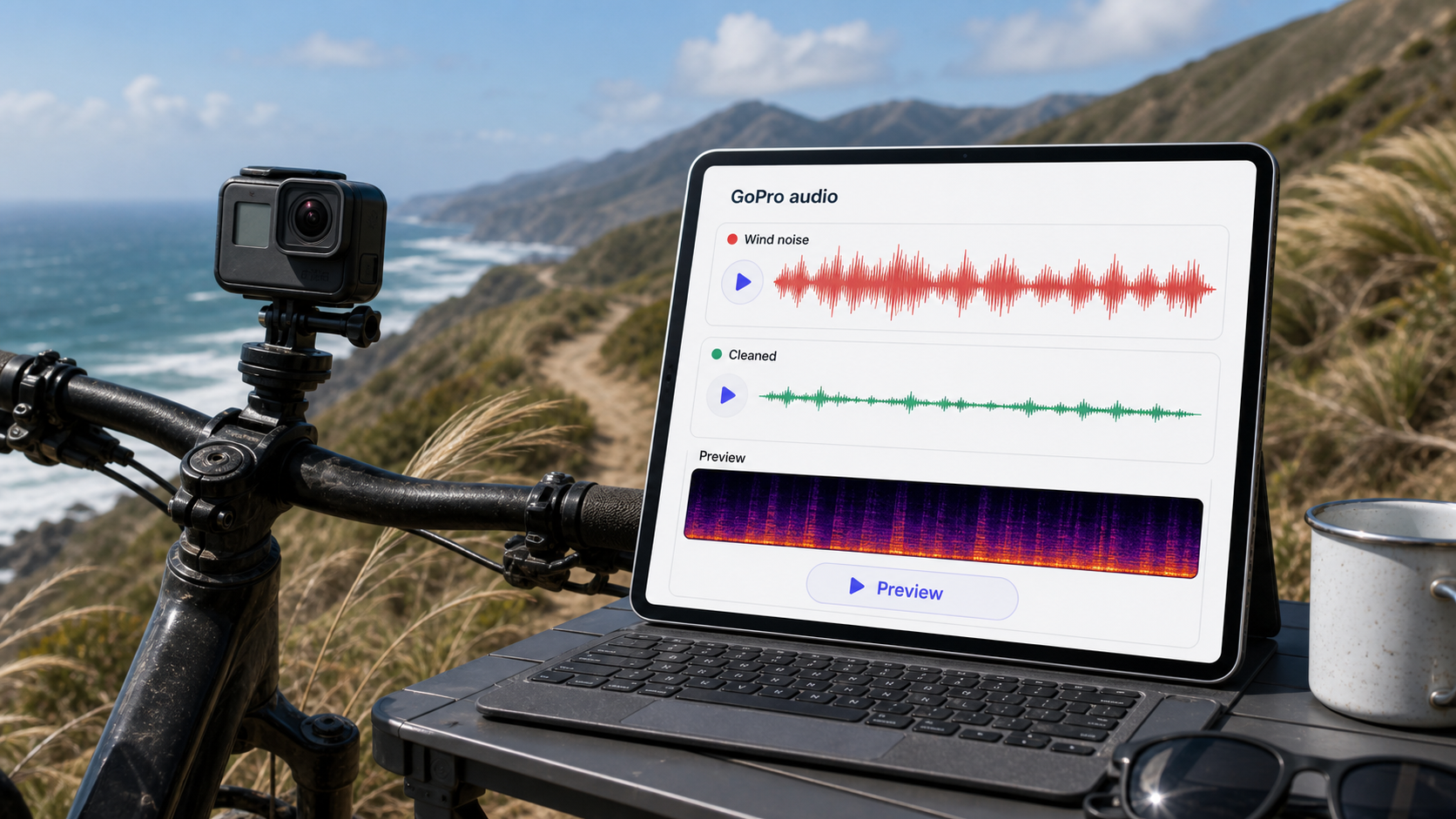
To clean GoPro audio, separate two problems: what the camera can prevent during capture and what post-production can reduce after the ride, hike, surf session, or travel shot is already recorded. Wind noise is not just normal background noise. It can create low rumble, rapid buffeting, and sharp turbulence that changes from second to second. That is why GoPro wind noise cleanup needs different expectations from removing a steady fan or room hum.
If the voice, environment, or action sound is still partly usable, CleanAudio's wind noise remover can help you upload the video, let the hybrid model analyze the audio track, preview a cleaner version, and decide whether the result is publishable. If the wind fully overloads the mic or the camera is too far from the speaker, cleanup can reduce harshness, but it cannot fully rebuild missing speech.
For related workflows, see how to remove wind noise from video, video audio cleanup workflow, and background noise removal.
Why GoPro Wind Noise Is Different
GoPro footage is usually captured in motion. The camera may be on a helmet, chest mount, handlebar, board, car, drone-like mount, or small tripod. The microphone is exposed to airflow, vibration, and changing direction. That makes the audio problem dynamic.
GoPro documents wind suppression as a camera-side feature and also gives prevention guidance for reducing wind noise before recording [1][2]. That advice matters because wind is easiest to control before it hits the microphone. After recording, cleanup has to work with whatever speech and sound survived the buffeting.
| Situation | What the mic captures | Cleanup expectation | Better next-capture move |
|---|---|---|---|
| Helmet biking | wind blast plus vibration | reduce harshness; preserve voice if present | add wind protection, reduce exposed airflow |
| Beach vlog | gusts, surf, distant speech | improve intelligibility if words remain | face away from direct wind, move closer |
| Ski or snowboard run | high-speed turbulence | mostly damage control | use protected external audio if speech matters |
| Walking travel clip | changing wind and street noise | good candidate if voice stays forward | keep camera closer and shield mic |
| Mounted action shot | mechanical vibration plus wind | reduce rumble and buffeting | isolate mount vibration and protect mic |
The technical core is stability. A constant background layer can often be modeled more easily. Wind changes shape constantly, which is why one manual setting often helps one moment and hurts the next.
First Decide What Sound You Need to Keep
Not every GoPro clip needs clean speech. Some videos need natural action sound. Some need only enough ambient audio to sit under music. Some need a rider or traveler talking to camera. Decide the goal before cleaning.
| Goal | What to preserve | What to reduce | Best workflow |
|---|---|---|---|
| Voice-led vlog | speech clarity | wind rumble, gusts, traffic | AI wind cleanup or careful manual pass |
| Action montage | useful ambience | harsh buffeting | lighter cleanup, then music mix |
| Tutorial or gear review | spoken explanation | wind and handling noise | clean early before edit/export |
| Travel memory | natural scene feel | distracting peaks | moderate cleanup, avoid over-silencing |
If speech is the priority, judge cleanup during actual words. If ambience is the priority, judge whether the clip still feels alive after noise reduction.
A Practical GoPro Cleanup Workflow
Use the original video file if possible. Avoid starting from a social-media download or a heavily compressed export.
- Save a raw copy.
- Find three checkpoints: normal wind, worst gust, and the most important spoken line.
- Decide whether the issue is low rumble, sharp buffeting, mount vibration, or distant speech.
- Apply light cleanup first.
- Compare at matched loudness.
- Stop if speech becomes watery or the action sound becomes unnatural.
If you are cleaning manually, handle GoPro wind as layered damage, not one generic noise bed.
| Layer | What to listen for | Manual action | Review checkpoint |
|---|---|---|---|
| Low wind rumble | pressure-like bass movement under the clip | reduce low-frequency buildup before broad denoise | voice should become less boomy without losing all weight |
| Sharp buffeting | bursts that slap across the microphone | use conservative noise reduction or split the worst gusts into separate sections | the cleaned result should not pump between gusts |
| Mount vibration | dull thumps, rattles, handlebar/helmet resonance | isolate or reduce local thumps where possible | action sound should not become hollow |
| Distant voice | speech far behind wind or environment | reduce wind lightly, then judge whether words are still intelligible | if words stay buried, stop treating it as routine cleanup |
| Useful action ambience | tire sound, wave sound, snow, steps | keep some natural texture | do not make the scene feel muted or fake |
For a voice-led GoPro clip, clean the spoken line before music and speed ramps. For an action montage, clean only enough to remove harsh buffeting, then let music or ambient sound carry the scene. Audacity's noise-reduction guidance is a useful boundary reminder: workflows built around a stable noise profile are most reliable for constant noise sources [4]. GoPro wind is often not constant, so a single sampled profile may not represent the whole clip.
Where CleanAudio Fits
CleanAudio is useful when the clip has mixed wind behavior across time. One section may have low rumble, another may have sharp gusts, and another may have a voice that briefly comes through clearly. A manual editor has to decide how much treatment belongs to each section. CleanAudio's hybrid model workflow reduces that routing burden by analyzing the audio track and applying speech-first cleanup where it can help.
Use it as a preview workflow:
- Upload the original GoPro video, not a recompressed social export.
- Preview a normal speech moment first.
- Preview the worst gust second.
- Check whether action ambience still feels believable.
- Download only if the voice or useful sound is clearer without sounding hollow.
The review step still matters. The goal is not to remove every trace of wind. The goal is to make the clip easier to watch. If the cleaned version makes the words easier to follow and keeps enough natural scene sound, it is doing the job. If the result sounds gated, underwater, or too muted, keep the original, use a lighter version, or cut around the worst section.
Prevention Beats Rescue for Future GoPro Shoots
The best GoPro audio cleanup starts before recording. GoPro's own prevention guidance points toward reducing wind at the source [2]. For action creators, this is worth taking seriously because wind protection is often cheaper than losing the best take.
Think in layers, not in products:
| Prevention layer | What it does | Best fit | Tradeoff |
|---|---|---|---|
| Camera placement | moves the mic out of direct airflow | walking shots, travel clips, slower rides | may change framing or mounting position |
| Physical wind cover | breaks up air before it hits the mic | voice-led vlogs, cycling, hiking, beach clips | can reduce high-frequency detail if too dense |
| Mount isolation | reduces vibration before it reaches the camera | bikes, helmets, boards, vehicles | may require testing because every mount resonates differently |
| External or separate protected audio | captures speech with a better source signal | interviews, tutorials, gear reviews, paid shoots | adds setup work and sync responsibility |
| Capture test | exposes the problem before the real take | any important shoot | costs 20-30 seconds, saves bad footage |
Do not treat wind gear as a guarantee. A small wind cover can help with moderate airflow, but high-speed sports, strong gusts, and direct mic exposure can still overload the recording. If speech matters, move the mic closer to the voice and protect it from direct airflow. Shure's recording guidance makes the broader principle clear: microphone placement and source capture shape how much unwanted sound competes with the desired signal [3]. For GoPro, that principle becomes simple: keep the wanted sound strong before the wind reaches the mic.
When Cleanup Is Not Enough
Retake or replace audio when the mic is overloaded, the voice disappears under wind, the important moment is clipped, or the camera is so far away that the wanted sound is barely present. Cleanup can make a noisy clip less painful, but it cannot turn missing words into a clean recording.
For action edits, sometimes the best solution is not to restore original audio. Use a cleaned ambience bed, add music, and keep only the moments where natural sound still adds value.
FAQ
Can you remove wind noise from GoPro video?
You can reduce GoPro wind noise when speech or useful audio is still present. Heavy gusts that overload the microphone are harder and may only improve partially.
Should I use GoPro wind suppression?
GoPro's wind suppression and prevention guidance can help at capture [1][2]. Use it as part of the recording plan, but still monitor the result because high-speed wind can overwhelm small microphones.
Is AI cleanup better than manual cleanup for GoPro wind?
AI cleanup is faster when the wind changes across the clip and you want a preview-first decision. Manual cleanup is still useful for local knocks, mount bumps, or fine control.
Can CleanAudio fix action-camera audio that is all wind?
Not fully. If wind completely covers speech or overloads the mic, CleanAudio may reduce harshness, but the missing speech detail is not recoverable.
Sources and Further Reading
[1] GoPro Support: How does wind suppression work?
https://community.gopro.com/s/article/How-Does-Wind-Suppression-Work?language=en_US
[2] GoPro Support: How to prevent wind noise on videos
https://community.gopro.com/s/article/How-to-Prevent-Wind-Noise-on-Videos?language=en_US
[3] Shure: Microphone Techniques for Recording
https://www.shure.com/damfiles/default/global/documents/publications/en/performance-production/microphone_techniques_for_recording_english.pdf-bb0469316afdb6118691d2f3f5e3ff01.pdf
[4] Audacity Support: Noise reduction and removal
https://support.audacityteam.org/repairing-audio/noise-reduction-removal