Audio Cleanup for Podcasts: Noise, Echo, Hiss, and Room Tone
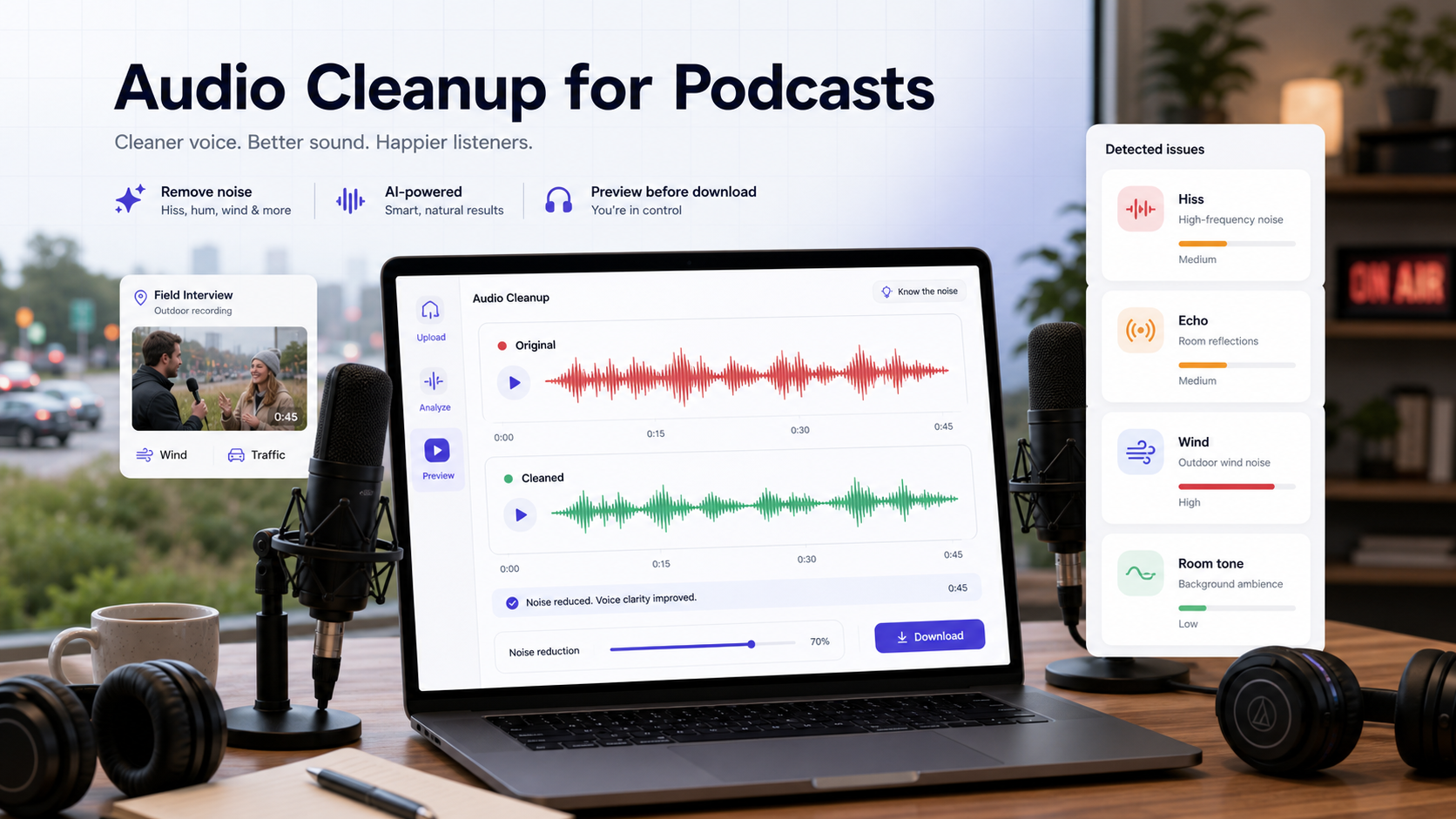
Search this topic and most articles tell you to run a noise reduction effect, maybe add a gate, and call the episode fixed. That advice works only when the problem is narrow and stable. Podcast audio cleanup usually means five different jobs: reducing steady background noise, controlling hiss or hum, managing room reflections, handling outdoor noise such as wind or traffic, and avoiding edit choices that make speech sound thin or chopped.
The practical workflow is simpler than the generic advice makes it sound. Identify the dominant problem first, apply the lightest process that matches it, then judge the result during active speech rather than in silence. If the track is intelligible and you mainly need a fast before-and-after decision, CleanAudio's audio cleanup workflow is a useful preview path. If the voice is clipped, the mic was too far away, or speakers are talking over each other, cleanup may still help, but it should not be sold as a guaranteed rescue.
For nearby context, see background noise removal, types of background noise in recordings, how to remove background noise from a microphone, how to remove hiss from audio, and how to remove echo from audio.
Podcast Audio Cleanup Is Five Different Jobs
Most podcast tracks that sound "messy" are not suffering from one single defect.
1. Steady background noise
This is the constant layer from HVAC, desktop fans, laptop fans, street wash, or electrical room noise. Audacity's documentation is clear that noise reduction is suited to constant noise and much less suited to irregular sounds such as traffic bursts or audience noise [5]. Adobe's Audition documentation makes the same distinction by separating broadband background reduction from other repair tools [7].
2. Hiss and hum
Hiss usually points to gain staging, noisy preamps, or a weak signal that had to be boosted later. Hum behaves differently because it often sits around mains-related frequencies and their harmonics. Audacity specifically notes that notch filtering may help with mains hum before broader noise reduction is applied [5].
3. Room tone and room echo
These are related, but they are not the same thing. Room tone is the stable sound of the space between phrases. Room echo or reverb is the reflection tail that smears consonants and makes speech feel farther away. DPA's acoustics guidance says reverberation time matters directly for vocal recording, and that speech recordings need short decay times [3]. Their speech-intelligibility reference goes further: once reverberation smears consonants, intelligibility drops [4].
4. Outdoor noise: wind, traffic, and public spaces
Field interviews, walking shows, event recaps, and creator podcasts recorded outside bring a different class of noise. Wind can hit the microphone physically and create low-frequency bursts. Traffic, sirens, café chatter, and crowd wash change over time instead of sitting still like a fan. These tracks can often be improved when the voice is close and clear, but they are harder than indoor hiss because the background keeps moving around the speaker.
5. Interruptions and edit noise
Keyboard taps, table bumps, plosives, chair squeaks, lip noise, headphone bleed, and overlapping remote speech are not good candidates for one global denoise pass. They usually need local editing, selective repair, or an honest decision that the take is not worth forcing.
That is why podcast audio cleanup should start with diagnosis, not with a favorite preset.
Quick Diagnosis Before You Start Processing
Use this matrix before you touch a single effect.
| What you hear | Likely issue | First move | Stop if this happens |
|---|---|---|---|
| Constant fan, HVAC, or computer floor under the whole segment | Steady background noise | Capture a noise print or run a light broadband cleanup preview [5][7] | The voice starts sounding papery or brittle |
| Narrow low-frequency buzz or electrical tone | Hum / rumble | Try a notch-style or hum-specific approach before broad denoise [5][7] | The low end of the voice collapses |
| Boxy tail after each sentence | Room echo / reverb | Use conservative de-reverb and judge consonants, not only pauses [3][4][7] | The voice sounds hollow or phasey |
| Clean words but chopped, unnatural pauses | Over-gating or over-editing | Back off the gate and restore a more natural pause bed [6] | Silence feels disconnected from the spoken line |
| Wind bursts during an outdoor interview | Wind buffeting / low-frequency overload | Try a cleanup preview and judge the worst gust first; use a wind-focused workflow or retake if words disappear | Speech is covered, distorted, or impossible to understand |
| Passing cars, sirens, café noise, or crowd wash | Changing environmental noise | Use cleanup to reduce distraction, but do not expect full isolation from moving sound sources | The background competes with the speaker instead of sitting behind them |
| Clicks, bumps, plosives, or short interruptions | Local artifacts | Repair locally, re-record, or leave minor imperfections alone | A global effect starts damaging the rest of the track |
A useful rule here: the less stable the problem, the less likely one global setting will solve it cleanly.
Decide Whether You Have Separate Tracks or One Mixed File
This choice changes what can be fixed. Separate host, guest, and room tracks let you treat each source independently. A mixed stereo or mono export has already combined voices, noise, music, and room sound; any global process affects all of them together.
| Material available | What you can control | Main limitation |
|---|---|---|
| Separate host and guest tracks | Clean each microphone according to its own fan, hiss, room, and level | Reimport and alignment must remain exact |
| Separate voice and music tracks | Clean dialogue without processing the music bed | Final mix still needs a full-program check |
| One mixed conversation track | Improve the overall balance and reduce shared distraction | You cannot independently restore one speaker without affecting the other |
| Compressed episode export only | Run a conservative rescue and judge publishability | Previous limiting, denoise, or clipping may already be baked in |
When separate tracks exist, keep their original start time, duration, sample rate, and channel layout. Do not trim leading silence before processing unless the project deliberately compensates for that change.
A Podcast Cleanup Workflow That Avoids Overprocessing
If you are working in a DAW or editor, make the first pass diagnostic. You are trying to decide what the file can support without making the host or guest sound worse.
- Duplicate the raw assets. Preserve every track and the unprocessed mix. Label working copies by speaker so a host setting is not accidentally applied to a guest recorded in another room.
- Listen before processing. Mark a normal sentence, a quiet pause, and the worst problem on each track. Also note overlap, laughter, and crosstalk; these are editorial events, not ordinary background beds.
- Classify the dominant problem per track. Use steady-noise reduction for a fan or hiss, hum-specific treatment for a narrow electrical tone, conservative de-reverb for reflection, and local repair for isolated knocks. Do not ask one preset to solve all four.
- Choose automated or manual cleanup. Automated cleanup fits long tracks with mixed or changing noise. Manual editing fits a known stable profile, an isolated event, or a production where every parameter must be controlled.
- Process voices before the final mix. When separate tracks exist, clean each one independently. Do not run the music bed, intro sting, and dialogue through the same voice cleanup pass.
- Return files without changing timing. Reimport each processed track at its original start. Confirm a spoken transient near the beginning and end, then mute the untreated duplicate rather than deleting it.
- Check pause seams and cross-speaker transitions. One track with a very quiet noise floor beside another with natural room tone can make edits obvious. Use consistent room beds, fades, or lighter processing rather than hard holes between phrases.
- Build the final mix, then export a short test. Review active speech, overlap, music under dialogue, and a quiet transition. Only then render the complete episode.
That last point matters more than getting the waveform to look quiet. Podcast listeners forgive a small amount of room tone more easily than a voice that sounds metallic, underwater, or cut into pieces.
Automated Cleanup for Long or Mixed Voice Tracks
Many podcasters need a fast answer to a practical question: is this guest track publishable, or should the segment be repaired manually or recorded again? Automated cleanup reduces setup work when noise changes through a long recording. It still requires a quality decision; manual workflows require previewing too.
CleanAudio is a sensible fit when:
- the voice is still understandable
- the problem is mostly steady noise, light room wash, or mild mixed distractions
- you want to compare raw versus cleaned speech quickly before committing to a deeper edit
A disciplined podcast workflow inside CleanAudio looks like this:
- Upload the original host or guest track separately when possible.
- Let CleanAudio's hybrid model analyze the recording and generate the system-selected preview; the user does not manually choose the preview segment.
- Compare the preview during active speech. Listen for stable vowels, intact consonants, and less distracting noise rather than perfectly empty pauses.
- Download only when the preview is a genuine improvement.
- Inspect the complete output at the checkpoints marked before upload, then return it to the session at the original start time.
- Repeat for another speaker only if that track needs cleanup. Do not process a clean track merely to make every file follow the same chain.
Use it as a decision tool, not as a promise machine. If the guest recorded from across the room, the laptop fan sat under every sentence, and another speaker kept interrupting, the better editorial answer may still be to re-record or replace the segment.
Manual Cleanup for Controlled or Local Problems
Manual editing is the stronger fit when you have a clean sample of steady noise, one short artifact, or a production reason to control every stage.
For steady hiss or fan noise, select a representative noise-only section, capture the profile, then reselect the spoken audio that should be processed. Preview a low reduction amount during speech. If the editor offers residue or removed-signal monitoring, recognizable words in that monitor mean the profile or sensitivity is taking voice. Return to the original and revise the settings instead of stacking another pass.
For a click, bump, cough, or chair scrape, isolate the event with a small amount of surrounding audio. Use local repair, a short level envelope, or an editorial cut. Replay the whole phrase and smooth the boundaries; a clean instant with an audible seam is not a finished repair.
For room echo, use a dedicated de-reverb control conservatively. Judge word endings and consonants. If the voice becomes hollow while the tail gets shorter, back off and accept some room rather than combining increasingly aggressive processors.
Use a gate only after the main noise is under control. Set its threshold while listening to quiet words and breaths, not only the pause floor. If syllables open and close abruptly, lower the threshold, lengthen the release, or remove the gate [6].
Choose the Better Starting Path
| Podcast problem | Manual editor workflow | Automated cleanup workflow | Practical verdict |
|---|---|---|---|
| Constant fan or HVAC | Strong fit when you have time to tune a light noise print [5][7] | Strong fit for a quick publishability check | One of the best rescue cases if the voice is already clear |
| Mild hiss or computer noise | Strong fit if you can separate hiss from the voice without pushing too hard [5][7] | Useful when you want to judge whether the track is already good enough | Stop early; over-cleaned podcast voices are more distracting than mild hiss |
| Light room echo in a solo host track | Moderate fit with careful de-reverb [3][4][7] | Useful for deciding whether the episode is clear enough without a DAW-heavy pass | Aim for clearer speech, not a fake booth sound |
| Outdoor interview with wind or traffic | Better when you can isolate bad sections and judge whether key words are masked | Useful as a first-pass publishability check when the voice is still close | Good for reducing distraction; weak when gusts or vehicles cover speech |
| Remote guest track with mixed noise | Better when you can repair sections selectively | Useful as a first-pass rescue check | If artifacts vary scene to scene, local edits still matter |
| Overlapping speakers or clipped dialog | Weak fit; manual tools cannot restore missing speech content | Weak fit; preview can show limits quickly | Ask for a retake or edit around the damage if possible |
This is the practical dividing line. Manual cleanup gives you more control. Preview-first cleanup gives you faster judgment. Neither one changes the physics of a badly captured voice track.
What Usually Ruins Podcast Cleanup
Recording too far from the microphone
Shure's podcast recording guidance recommends close technique with a dynamic mic, speaking roughly 3 to 6 inches away in a quiet, soft-furnished space [1]. That advice matters because close placement improves the direct voice before cleanup starts. Once the room becomes louder than the speaker, every cleanup tool has less intact speech to preserve.
Treating every noise like the same noise
A podcast editor who uses the same denoise setting for fan noise, hiss, echo, and keyboard knocks is asking one tool to solve several unrelated problems. The result is often a cleaner pause and a worse voice.
Using a gate as the main fix
A noise gate is useful for reducing low-level noise between sections of speech [6]. It is not a substitute for real cleanup. If the noise is present while the host is talking, gating alone cannot remove it cleanly.
Editing until the episode sounds dead
Podcast speech needs continuity. A little stable room tone is often less distracting than hard-muted gaps between every phrase. If the pauses sound cut out of a different universe than the words around them, the cleanup went too far.
Prevention Fixes That Save More Time Than Harder Cleanup
The fastest podcast cleanup is often better capture.
- Use close mic technique and run a short test before the actual take [1].
- Prefer a cardioid-style pattern when the room is noisy, and use a shock mount or similar isolation when desk vibrations are a problem [2].
- If your setup allows it, use a high-pass filter to reduce low-frequency thumps and rumble before they build up in the recording chain [2].
- Treat the room, not only the waveform. DPA's acoustics guidance makes the core point clearly: shorter reverberation time is better for speech and vocal recording [3].
- Coach remote guests on the basics: move closer to the mic, turn off nearby fans, monitor with headphones, and avoid recording from a reflective kitchen or empty office.
- For outdoor interviews, block wind before it reaches the mic, face away from traffic when possible, and record a short test while standing in the real location rather than judging from a quiet corner.
That is not glamorous advice, but it is the advice that makes cleanup easier instead of more aggressive.
FAQ
What is the best cleanup order for podcast audio?
Start with diagnosis. Separate constant noise, hum, room echo, and local artifacts. Then use the lightest process for the dominant problem, compare it during active speech, and only add a gate after the main cleanup choice is settled.
Can a noise gate clean a full podcast track?
No. A gate can reduce low-level noise between phrases, but it does not remove noise under spoken words [6]. Use it as a finishing control, not as the main repair strategy.
Should I remove all room tone from a podcast?
Usually no. Stable low-level room tone is often less distracting than hard, unnatural silence between phrases. The goal is easier listening, not perfectly empty gaps.
When should I ask for a retake instead of more cleanup?
Ask for a retake when the speech is clipped, the speaker is too far from the mic, another person is talking over key lines, or the cleanup makes the voice less believable than the raw file.
Sources and Further Reading
[1] Shure: How to Start a Podcast: Recording an Episode https://www.shure.com/en-US/insights/how-to-start-a-podcast-recording-an-episode
[2] Shure: Choosing a Microphone for Podcasting https://www.shure.com/en-US/insights/choosing-a-microphone-for-podcasting
[3] DPA Microphones: 10 important facts about acoustics for microphone users https://www.dpamicrophones.com/mic-university/background-knowledge/10-important-facts-about-acoustics-for-microphone-users/
[4] DPA Microphones: Facts about speech intelligibility https://www.dpamicrophones.com/mic-university/background-knowledge/facts-about-speech-intelligibility/
[5] Audacity Manual: Noise Reduction https://manual.audacityteam.org/man/noise_reduction.html
[6] Audacity Manual: Noise Gate https://manual.audacityteam.org/man/noise_gate.html
[7] Adobe Audition Help: Reduce noise and restore audio https://helpx.adobe.com/audition/desktop/effects-reference/noise-reduction-restoration-effects.html